
Intro
Flow AI is not just another text to video box. It is a filmmaking workspace where scenes, characters, and ingredients can stay consistent across clips, and that changes how you should write prompts. This ai video prompts generator for flow ai guide shows you how to use the generator for Flow specifically: how to describe an idea, how to keep a character the same from scene to scene, and how to build a short story from separate clips instead of hoping one clip does everything.
What Is an AI Video Prompts Generator for Flow AI?
An ai video prompts generator for flow ai is a tool that turns a plain idea into a structured prompt for Flow AI. You describe what you want in everyday words, and the generator adds the details Flow needs most: the subject, the action, the setting, the camera move, the visual references, and the story order. The result is a prompt you can paste into Flow, where Veo is the video model behind the scenes and Flow is the workspace that organises scenes, ingredients, and edits.
This is different from a list of ready made prompts. A list gives you someone else’s scenes. A generator gives you a method for your own scenes, and for Flow that method matters more than for most tools, because Flow is built for sequences.
A single beautiful clip is useful, but a sequence of clips with the same character in the same style is what makes a Flow project feel like a film rather than a random reel.
Think of the generator as a storyboard assistant. You bring the idea, and it helps you break that idea into shots that belong together. It does not replace your taste. It makes your taste easier for the model to follow across several clips, and it saves you from the common habit of generating ten unrelated scenes and then struggling to edit them into something coherent.
For more ideas in the same format, explore the AI Video Prompts Generator homepage and our Text to Video Prompt Library. The homepage tool is the starting point, and the library shows what finished prompts look like once they are written well.
How to Use the Generator for Flow AI, Step by Step
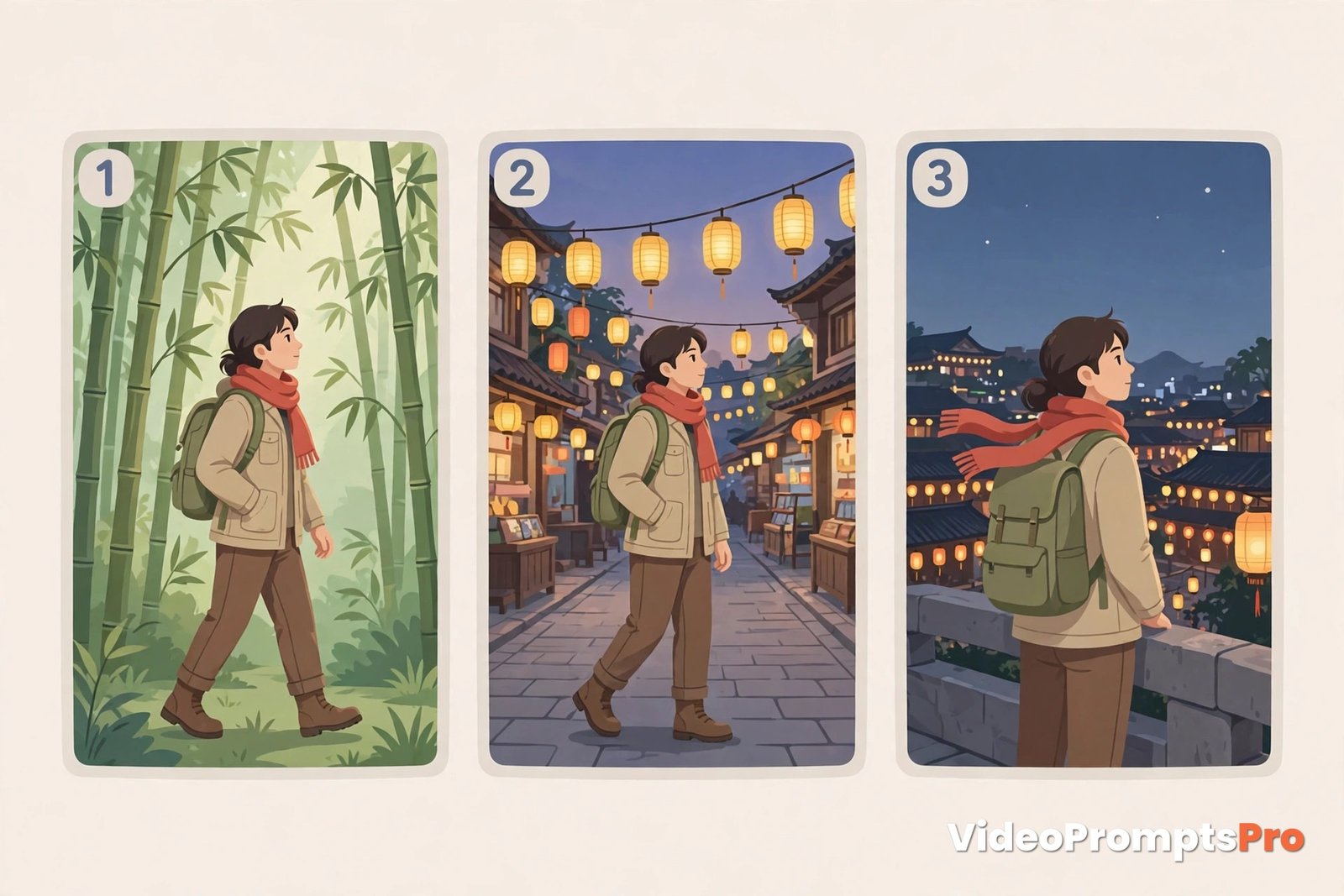
Start with a story in three beats, not a single image. Flow works best when you know the beginning, the middle, and the end before you generate anything. A traveler arrives in Kyoto, walks through a bamboo grove, and reaches a lantern lit street is a story. A nice picture of Kyoto is not, because it gives Flow nowhere to go next.
Step one is to write your idea in one sentence, then split it into shots. Name the main subject once, in the same words every time. A young traveler with a red scarf is a good subject description, because it can be repeated exactly in every shot. Changing the description between shots is how characters drift, so consistency starts in the words, not in the settings.
Step two is to choose the model. In our generator, the supported models are Flow first for this guide, plus Veo 3, Grok, Gemini, Sora, and Kling. For a Flow project, select Flow, because the generator then shapes the prompt around Flow strengths: ingredients to video, consistent characters, and scene building. Choosing a generic text to video model first would give you a prompt for one clip, not a prompt for a sequence.
Step three is to add ingredients where they help. Ingredients are the visual references Flow can use: a character, a place, a style, or an object. If your story needs the same traveler in every scene, say so, and describe that traveler the same way each time. If your story needs the same street, describe that street the same way each time. Ingredients are not decoration. They are the anchors that keep a sequence together.
Step four is to add the setting, light, and camera for the first shot only. A lantern lit Kyoto street at dusk, with a slow tracking camera, is enough. Do not write the whole story into the first shot, because Flow will try to fit it all into one clip and drop the details you care about most. One shot, one job, is the rule that keeps Flow projects clean.
Step five is to direct the sound and the mood, but keep it light. Flow clips can carry ambient sound and mood, and newer Veo models inside Flow can carry dialogue and effects as well. Name the ambience, such as soft footsteps and distant chatter, and say no music when you want a clean clip. Sound should support the scene, not carry a story the picture has not told yet.
Step six is to read the generated prompt before you generate the video. Check that the subject description matches the one you will use in the next shot, that the camera is named, and that the shot has one clear action. If any of those are missing, fix the idea and regenerate the prompt, not the video. Fixing the prompt is free in time and attention. Fixing a broken sequence costs several generations.
Step seven is to generate the first shot, then build the next shot from it. Copy the subject description word for word, change only the action and the setting, and generate again. Repeat that for each beat of the story. That repetition is not laziness. It is the technique that keeps a character recognisable across scenes, and it is the main skill Flow rewards.
A Worked Example: From One Idea to One Flow AI Prompt
Here is the whole method in one pass, using a single story idea. The idea is simple: the same fisherman walks from a harbour pier to a lighthouse at dawn. That is a good Flow idea, because it has one character, two locations, and a clear order, which is exactly what a sequence needs.
What to type into the generator is the idea plus a few choices, not a finished prompt. You might type: the same old fisherman in a yellow raincoat walks in a harbour, first a pier, then a lighthouse at dawn, slow tracking camera, calm morning mood. That is enough for the generator to work with, because it already knows to ask for the subject, the ingredients, the camera, and the story order.
The kind of prompt that should come back for the first shot is a structured shot description, not a paragraph of story. It should name the format, the subject in repeatable words, the action, the setting, the light, the camera, and the audio, and it should end with a clear note about text and logos.
A good version reads like this: Vertical 9:16 video, 8 seconds. An old fisherman in a yellow raincoat walks slowly along a harbour pier at dawn, waves lapping against wooden posts, gulls circling above grey blue water. The camera tracks beside him at walking pace, catching soft morning light on wet wood. Calm morning mood, smooth realistic motion, photorealistic detail. Audio: soft footsteps, waves, distant gulls, no music. No text overlays, no logos.
Now judge that prompt the way you would judge a shot list. The subject can be copied word for word into the next shot, the action is single and clear, the camera is named, and the audio is directed.
For the second shot, you would keep the fisherman description exactly the same, change the setting to a lighthouse at dawn, and keep the tracking camera. That single change of setting, with everything else held still, is the whole Flow method: hold the character, move the story.
This example also shows why the generator is useful for beginners. A beginner often writes a new description for the same character in every shot, and then wonders why the character looks different each time. The generator encourages one description, repeated exactly, so the sequence has a chance to stay consistent. An experienced creator uses the same method to move faster, because the subject block is already written and only the scene changes.
Flow AI Strengths and Limits You Should Know Before You Generate
Flow AI, from Google, is a filmmaking workspace built around Veo, and Google Flow is the best place to see how Google describes the tool itself. Ingredients to video is the clearest strength. You can bring a character, a place, or a style into a generation as a reference, which helps keep a project visually consistent in a way that pure text prompts struggle to match. For creators making a series, a brand story, or a short film, that consistency is the main reason to choose Flow.
Scene building is the second strength. Flow lets you organise clips into scenes, extend a shot, and build a story from separate generations, rather than treating each clip as a standalone post. That makes it a strong choice for travel stories, product stories, wedding stories, and any project where the order of shots matters as much as any single shot.
Character consistency is the third strength, with a limit attached. Flow helps a lot when you repeat the same description and use the same ingredients, but it does not guarantee a perfect match across every shot.
Faces, clothes, and small details can still drift, especially across many scenes or after a big change of light. The fix is to keep changes small between shots and to accept that a sequence may need one or two regenerations to stay on model.
The limits matter just as much. Clips are still short, so a long speech or a complex action will be cut or rushed. Crowds, hands, and fast action can still glitch, and a scene with many people doing many things at once is more likely to break than a simple scene with one clear action. Text in the scene is also risky, so keep text out of the prompt unless you truly need it.
For comparison, Veo 3 by Google DeepMind is the model behind much of Flow video generation, and it leads on dialogue and native audio when used directly. Choosing Flow over direct Veo 3 is choosing a workspace over a single clip: Flow wins for a sequence, Veo 3 wins for one strong dialogue led shot.

Common Mistakes and How to Fix Them
The first mistake is changing the character description between shots. The fix is to copy the subject block word for word into every shot, and change only the action and the setting. Consistency lives in repetition, and even a small wording change can give the model permission to change the face.
The second mistake is writing the whole story into the first shot. The fix is to split the story into beats and generate one clip per beat. A traveler arriving, walking, and reaching a street is three clips, not one, and the sequence will be stronger for the split.
The third mistake is using no ingredients when the story needs them. The fix is to name the ingredient that must stay the same, whether it is a character, a place, or a style, and to use it in every relevant shot. Ingredients are the closest thing Flow has to a cast list, so use them like one.
The fourth mistake is changing everything after a bad result. The fix is to change one detail, regenerate, and compare. If you change the character, the setting, the camera, and the mood at once, you will never know which change helped, and you will waste generations learning nothing.
The fifth mistake is judging Flow from one generation. The fix is to judge it from three generations of the same prompt with one small change each time. Models vary between runs, and a single bad run says little about the prompt. A pattern across three runs says a lot.
Pro Tips for Better Flow AI Results
Write your subject block once and save it. Keep it in a note, and paste it into every shot of a project. That saved block is the cheapest consistency tool Flow gives you, and it beats rewriting a description from memory every time.
Plan the story on paper before you generate. Three beats, three shots, three subject blocks that match. A five minute plan saves five wasted generations, and it makes the editing stage much easier, because the clips already belong together.
Use vertical 9:16 for short form feeds. Flow clips made in vertical format need no cropping later, and they loop well on TikTok, Reels, and Shorts. A horizontal clip cropped to vertical loses the edges of the shot, and those edges often hold the detail that made the scene work.
Generate the hero shot last, not first. Build the sequence with simpler shots, learn what the model does well with your character, and then spend your best effort on the shot viewers will remember. A strong sequence with a weak hero is still watchable. A strong hero with a broken sequence is not.
FAQ
What is an ai video prompts generator for flow ai?
It is a tool or guide that turns a plain idea into a structured prompt for Flow AI, with the subject, ingredients, camera, and story order already shaped for sequences.
What makes Flow AI different from other video tools?
Flow is a workspace for building scenes and stories, with ingredients to video and scene organisation, rather than a single clip generator, so it suits projects with the same character across shots.
How do I keep the same character in every Flow scene?
Use the same subject description word for word in every shot, and use the same ingredients where they are available, changing only the action and the setting between shots.
How long are Flow AI videos?
Flow clips are short, built around the Veo model, so plan a story as several short shots stitched together in an editor, not as one long generation.
Can I use the generator for TikTok and YouTube Shorts?
Yes, the method here is built for vertical short form, so the same sequence works on TikTok, Instagram Reels, and YouTube Shorts with a simple caption added in your editor.
Conclusion
Flow AI rewards planning, repetition, and sequence thinking, and a generator is the fastest way to write prompts that respect those strengths. Start with a story in three beats, write one subject block and reuse it exactly, add ingredients where they help, generate one shot at a time, and change one detail at a time when a result is off. Try the fisherman example from this guide first, then use the same method for your own story. The creators who build sequences, not just clips, are the ones viewers remember, so start with one consistent Flow story today and build from there.
SEO Expert & Contant Writer