
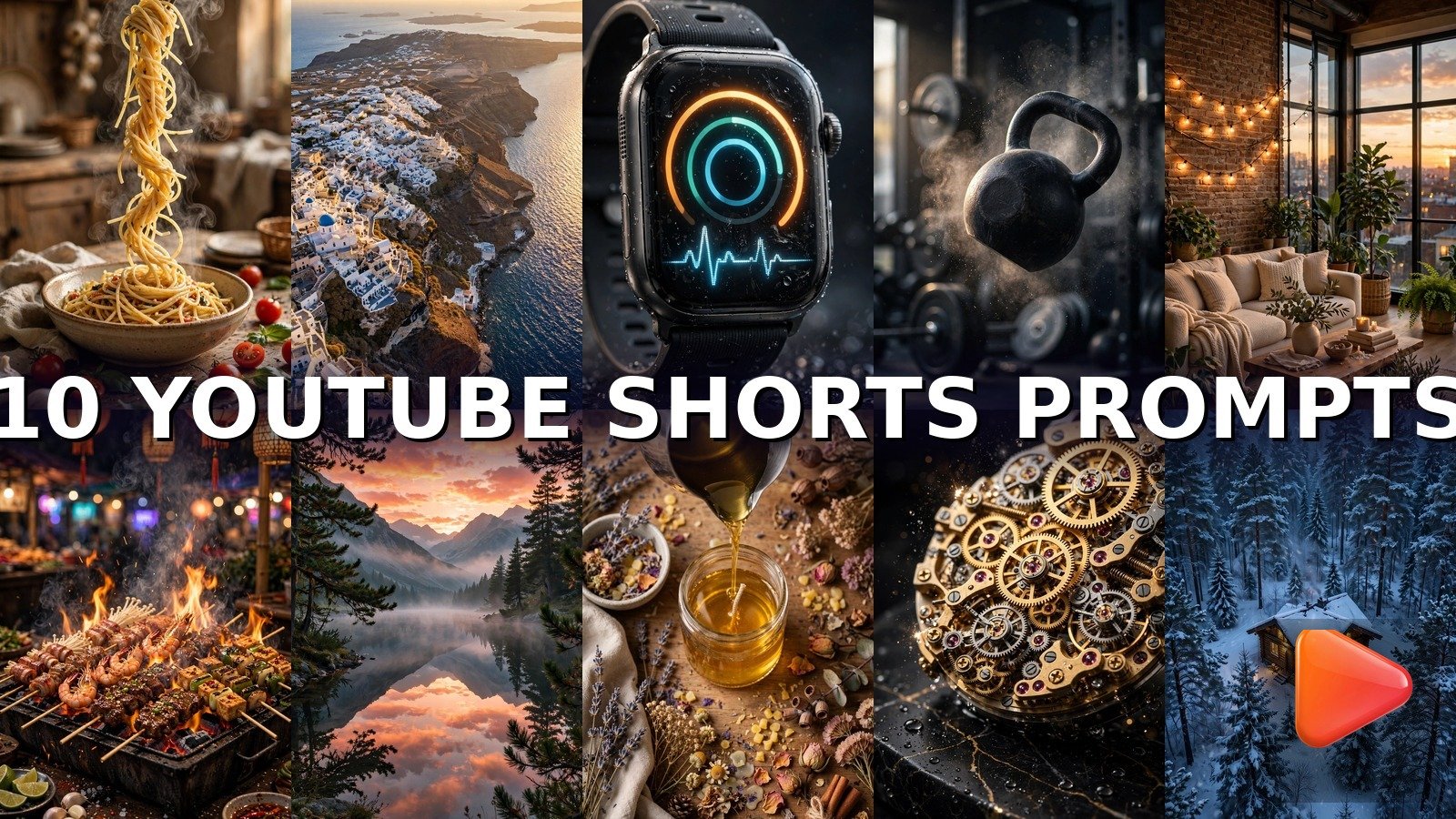
YouTube Shorts are the fastest way to grow a channel in 2026, and you do not need a camera crew to do it. These 10 text to video prompts for YouTube Shorts turn a single sentence into a scroll-stopping vertical clip. Just paste the prompt into an AI video tool, generate, and upload.
How to Use These Text to Video Prompts for YouTube Shorts
Using these prompts is simple, even if you have never touched an AI video tool before. Copy any prompt below and paste it into your generator of choice. Google Flow (powered by Veo 3) delivers the most realistic motion, Runway gives you the best camera control, Pika is fastest for quick experiments, Sora excels at cinematic scenes, Kling handles human-adjacent motion smoothly, and Gemini is perfect for fast mobile generations.
For YouTube Shorts, always set your output to 9:16 vertical (1080×1920). Shorts can run up to 60 seconds, but the sweet spot is 8 to 15 seconds. Viewers decide in the first 3 seconds whether to keep watching, so every prompt below front-loads its most eye-catching motion. Choose a loop-friendly ending whenever possible: a clip that ends where it begins gets replayed automatically, and replays tell YouTube to push your Short to more feeds.
Not sure which tool to pick? Use Google Flow (Veo 3) for the nature and food prompts (Pasta, Santorini, Sunrise Lake, Night Market, Snowy Cabin) because it renders steam, water, fire, and snow most realistically. Use Runway for the product macros (Smartwatch, Luxury Watch) where precise camera orbits matter. Pika and Gemini are great for quick iterations of the fitness and DIY prompts, so you can test three variations in minutes and keep the winner.
Browse more ideas in our Text to Video collection, or start from the VideoPromptsPro homepage to explore every category.
Creators who post daily swear by text to video prompts for YouTube Shorts because they remove the filming bottleneck entirely. Instead of shooting for hours, you iterate on sentences. Each of these text to video prompts for YouTube Shorts is written so the AI does the heavy lifting: motion, lighting, and camera work are all baked into the wording.
Prompt 1: 15-Second Pasta Recipe That Makes Mouths Water
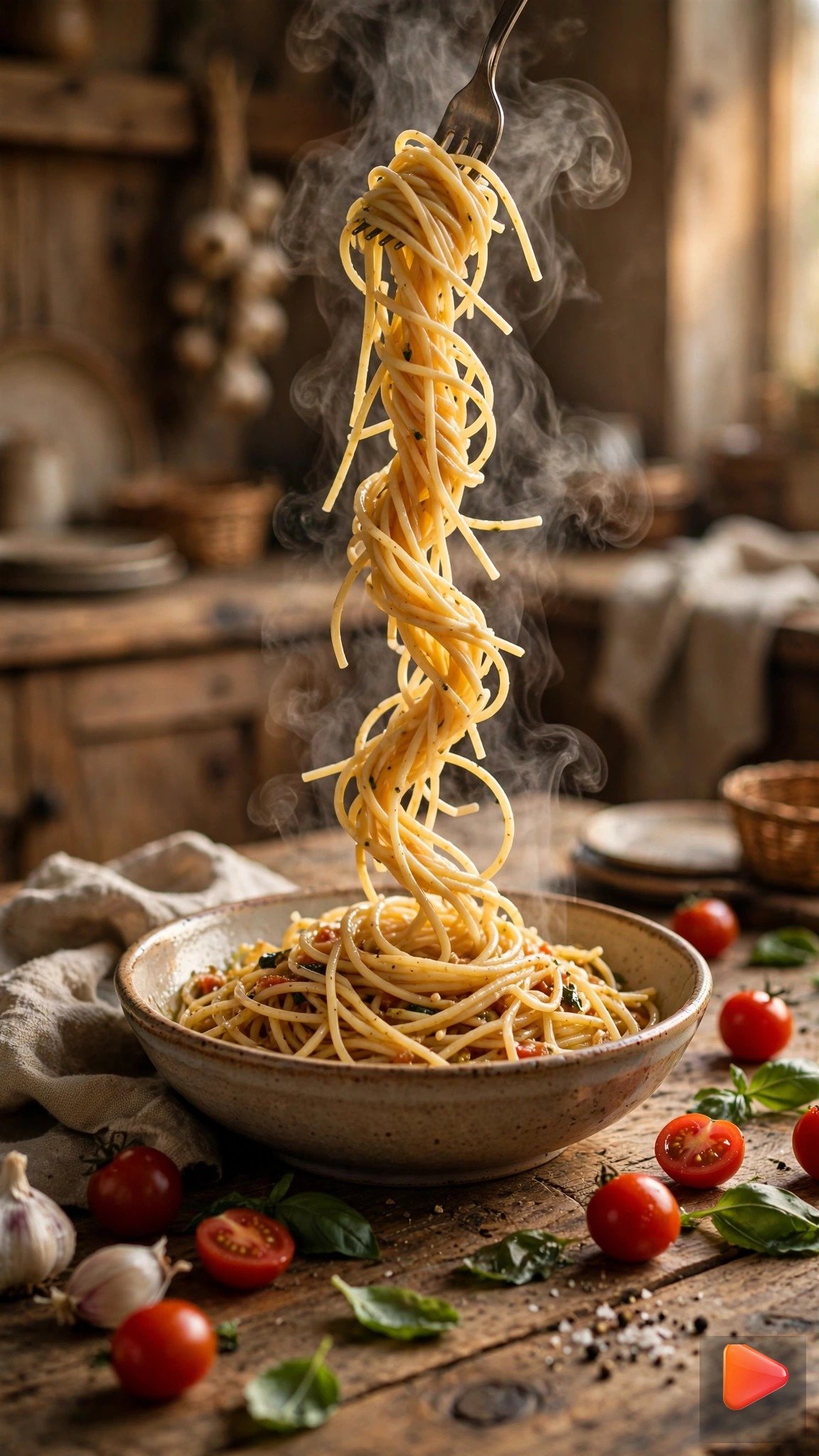
Create a mouth-watering 12-second vertical video of a quick pasta recipe: spaghetti twirls high on a fork in slow motion, steam rises from the bowl, fresh basil leaves fall gently onto the pasta, tomatoes tumble into the frame. Warm overhead kitchen lighting, satisfying fast-cut cooking show style, overhead camera pulling back slightly. 9:16 aspect ratio, 12 seconds.Tip: Google Flow (Veo 3) renders the steam and slow-motion twirl beautifully. Add your recipe steps as on-screen text after generating to turn this into a full cooking Short.
Prompt 2: Santorini Travel Postcard From the Sky

Generate a stunning 10-second vertical aerial video of Santorini, Greece: the drone glides forward over whitewashed buildings with blue domes, swooping down toward the sparkling Aegean sea, golden hour sunlight shimmering on the water. Smooth cinematic drone movement, dreamy travel postcard mood, vibrant blue and white tones. 9:16 aspect ratio, 10 seconds.Tip: Runway or Google Flow (Veo 3) give the smoothest drone glide. Pair it with trending travel audio and a “POV: you are in Greece” caption for maximum shares.
Prompt 3: Smartwatch Gadget Demo That Sells
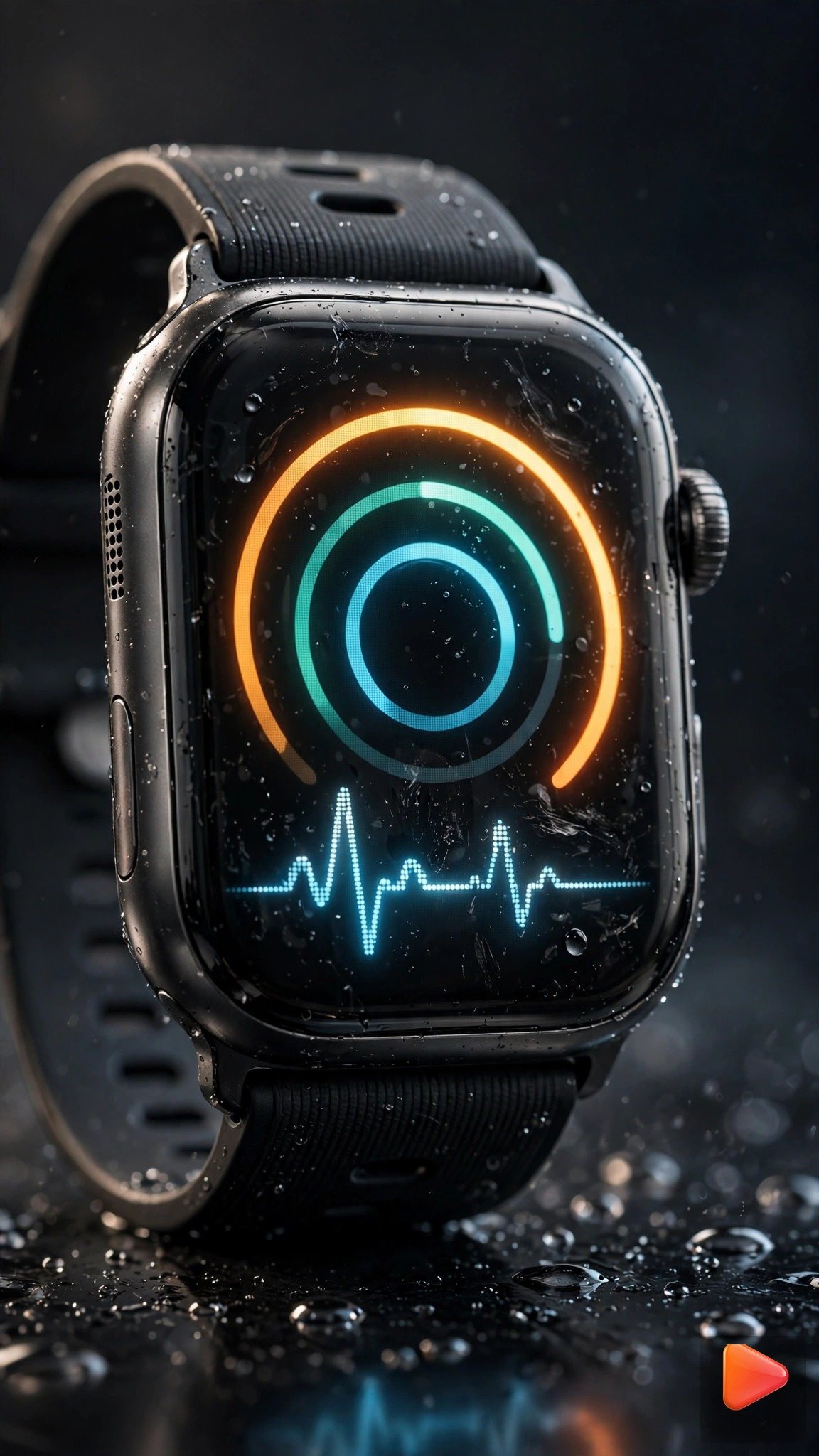
Create a sleek 8-second vertical product video of a smartwatch: the camera orbits slowly around the watch as its screen glows to life with a fitness display, light sweeps dramatically across the metal casing, macro detail of the glass reflections. Premium tech ad mood, dark studio background, cinematic lighting. 9:16 aspect ratio, 8 seconds.Tip: Runway nails the controlled orbit here. Product demo Shorts like this are perfect for affiliate links in the description.
Prompt 4: Kettlebell Swing With Power

Generate an intense 9-second vertical fitness video: a kettlebell swings upward in dramatic slow motion, chalk dust explodes in the air, the camera pushes in slightly as the bell reaches its peak. Dark moody gym, high contrast lighting, powerful motivational energy, crisp detailed motion. 9:16 aspect ratio, 9 seconds.Tip: Kling or Pika handle the slow-motion swing cleanly. Fitness Shorts perform best with a form tip in the title, like “Fix your kettlebell swing”.
Prompt 5: Cozy Loft Room Tour

Create a warm 12-second vertical room tour video: the camera glides smoothly through a cozy loft apartment, passing string lights, a plush sofa, plants, and tall windows glowing with evening light. Soft warm tones, inviting homey mood, gentle continuous camera drift with shallow depth of field. 9:16 aspect ratio, 12 seconds.Tip: Sora or Runway produce the most cinematic interior glides. Room tour Shorts get saved a lot, which is a strong ranking signal. Also explore our Text to Video Prompts for Real Estate to create stunning property walkthroughs.
Prompt 6: Night Market Street Food Frenzy

Generate a sizzling 10-second vertical street food video: flames leap from night market grills, skewers char and smoke, steam swirls upward past glowing neon signs and lanterns. Fast energetic motion, vivid night colors, handheld street market vibe, mouth-watering close-up shots. 9:16 aspect ratio, 10 seconds.Tip: Google Flow (Veo 3) renders flames and smoke most realistically. Food Shorts thrive on ASMR sizzle audio, so add a sizzling sound track. For more delicious ideas, explore our Text to Video Prompts for Food Videos and keep the sizzle going.
Prompt 7: Sunrise Over Lake Timelapse

Create a breathtaking 12-second vertical timelapse video of sunrise over a still mountain lake: the sky blooms from deep blue to orange and pink, mist rolls across the water, the perfect mirror reflection shimmers gently. Slow majestic camera drift, serene peaceful mood, ultra smooth motion. 9:16 aspect ratio, 12 seconds.Tip: Google Flow (Veo 3) handles timelapse skies and reflections without flicker. Nature timelapses are perfect loop material, so trim the end to match the start.
Prompt 8: Candle Making DIY Satisfying Pour

Generate a satisfying 10-second vertical DIY video of candle making: golden melted wax pours in a smooth ribbon into a glass jar, dried lavender petals are sprinkled around it, soft craft table lighting glows warmly. Slow macro camera push-in, cozy handmade aesthetic, ASMR-style satisfying visuals. 9:16 aspect ratio, 10 seconds.Tip: Pika or Gemini render the wax pour smoothly. Satisfying craft Shorts get watched on repeat, so keep the pour motion continuous and hypnotic.
Prompt 9: Luxury Watch Macro Showcase

Create a luxurious 8-second vertical macro video of a mechanical watch: intricate gold gears rotate and catch the light, the camera orbits slowly around the dial, sparkling highlights sweep across the polished metal. Dark elegant background, premium advertising mood, ultra sharp detail. 9:16 aspect ratio, 8 seconds.Tip: Runway gives the most precise orbit for macro product shots. Luxury macro Shorts attract high-value viewers, so keep every frame sharp.
Prompt 10: Snowy Cabin Winter Aerial

Generate a magical 12-second vertical aerial video of a snowy cabin in a pine forest at dusk: the drone descends slowly through falling snow toward warm golden windows glowing against the blue twilight, chimney smoke curls into the sky. Peaceful winter wonderland mood, smooth cinematic descent. 9:16 aspect ratio, 12 seconds.Tip: Google Flow (Veo 3) or Sora render snowfall and the descent most naturally. Seasonal winter Shorts spike every December, so bank this one early.
Why Text to Video Prompts for YouTube Shorts Work So Well
YouTube’s Shorts shelf rewards watch time and replays above all else. Well-written text to video prompts for YouTube Shorts deliver both: the first frame hooks the viewer and the loop keeps them watching. Unlike repurposed horizontal clips, text to video prompts for YouTube Shorts are designed from the start for the 9:16 player, so every pixel works for retention. That is why channels built on text to video prompts for YouTube Shorts can grow from zero to monetization in months instead of years.
Pro Tips to Make Your YouTube Shorts Go Viral
Getting views is about more than a good prompt. First, hook viewers in the first 3 seconds. YouTube counts a view fast, but retention decides whether your Short gets pushed. Every prompt above opens with its strongest motion, so do not add a slow logo intro or title card before it. Second, design for the loop. Trim your generated clip so the last frame flows back into the first. A viewer who watches three times counts as three views, and looped replays are the single biggest driver of Shorts virality.
Third, add captions and trending audio. Most Shorts are watched with sound off at first, so burned-in captions keep scrollers watching. Layer a trending sound from the YouTube audio library underneath, since the algorithm favors Shorts that use popular sounds. Fourth, post consistently: one Short a day for 30 days beats ten Shorts in one day. Batch your generations, schedule them in YouTube Studio, and let the algorithm find your audience.
Fifth, rotate through these text to video prompts for YouTube Shorts instead of reusing one style: variety keeps your channel fresh and helps the algorithm test your Shorts with new audiences. Finally, write titles and hashtags for search. Use hashtags like #shorts plus your niche tag, and put your main keyword in the title exactly as people search it. Learn more about the engines behind these clips on the official Google DeepMind Veo page and Runway.
Frequently Asked Questions
What is the best text to video prompt for YouTube Shorts?
The pasta recipe (Prompt 1) and sunrise timelapse (Prompt 7) prompts perform best because food and nature Shorts have huge evergreen audiences and loop beautifully. Of all the text to video prompts for YouTube Shorts, these two also get the most saves and shares.
What aspect ratio should I use for YouTube Shorts?
Always use 9:16 vertical (1080×1920). It fills the entire phone screen and matches the Shorts player exactly.
How long should a YouTube Short be?
Keep it between 8 and 15 seconds for AI-generated Shorts. Shorts can run up to 60 seconds, but quick looping clips get far more replays. Every one of these text to video prompts for YouTube Shorts is timed for that sweet spot.
Are these prompts free to use?
Yes, every prompt on this page is free to copy and use. The AI tools themselves have free tiers: Pika, Gemini, and Kling all offer free monthly credits. All 10 text to video prompts for YouTube Shorts above are yours to keep, remix, and reuse in as many videos as you like.
Which AI tool is best for text to video Shorts?
Google Flow, powered by Veo 3, currently produces the most realistic motion for nature and food scenes. Runway is best for controlled camera moves like product orbits. Whichever tool you choose, these text to video prompts for YouTube Shorts are written to work across all of them, so you can switch tools without rewriting anything.
Can I monetize AI-generated YouTube Shorts?
Yes, YouTube allows monetization of Shorts made with AI tools as long as the content is original and follows the community guidelines. Add your own captions, audio, and edits to make each Short unique.
Conclusion
You do not need expensive gear or a film crew to grow on YouTube Shorts. With these 10 text to video prompts for YouTube Shorts, a single sentence becomes a professional vertical clip in minutes. Copy a prompt, generate it in Flow, Runway, Pika, Sora, Kling, or Gemini, add captions and trending audio, and post daily. Start with the pasta or sunrise prompt today, and explore more ideas in our Text to Video collection. Keep experimenting with these text to video prompts for YouTube Shorts and track which topics earn the most replays. For special occasions, explore our Text to Video Prompts for Wedding and turn your big day into a cinematic Short.
Bookmark this page of text to video prompts for YouTube Shorts and work through one prompt per day. In two weeks you will have a library of original Shorts and a clear picture of which text to video prompts for YouTube Shorts your audience loves most.

SEO Expert & Contant Writer
2 thoughts on “10 Text to Video Prompts for YouTube Shorts That Get Views (2026)”