Intro
A YouTube Short lives or dies in the first two seconds. If the opening frame does not grab the viewer, they swipe, and no amount of good editing later in the clip can win them back. That is exactly why an ai video prompts generator for youtube shorts is so useful.
Instead of guessing how to describe a vertical clip, you type your idea in plain words. The generator shapes it into a structured prompt with a hook first, one clear action, vertical 9:16 framing and a loop friendly ending, ready to paste into your video tool.
In this guide, you will learn what the generator does for YouTube Shorts, how to use it step by step, and how to fix a weak result. One full worked example shows the whole process from idea to finished prompt.
What the AI Video Prompts Generator Is and What It Does for YouTube Shorts
An ai video prompts generator is a simple tool that turns a rough idea into a complete video prompt. You answer a few short fields about your scene, and it writes the prompt for you in the order video models understand best.
For YouTube Shorts, that order is different from a normal video prompt. A cinematic prompt can open with a slow establishing shot and build gently toward the action. A Short cannot. The feed moves fast, viewers decide in seconds, and the prompt must front load its most eye catching moment. The generator builds this hook first structure into every Shorts prompt it writes.
The generator on VideoPromptsPro is built for exactly this job. You describe what you want, choose your model, and it gives you a clean prompt to copy into your video tool. It does not replace your creativity. It organises it, so the model spends less time guessing and more time rendering the scroll stopping moment you pictured.
The tool supports several models, and each one has its own strengths for short form video. The Supported AI Models are Flow, Grok, Veo 3, Gemini, Sora and Kling. Flow, powered by Veo 3, renders steam, water, fire and food most realistically, which suits cooking and nature Shorts. Kling handles human motion smoothly, Sora leans cinematic, and Gemini is fast for quick mobile generations. You can explore more starting points in the text to video prompt library when you want fresh ideas.
Why does Shorts prompting need its own approach? Because the Shorts player is vertical, full screen and swipe driven. A prompt written for a wide frame will crop badly on a phone, and a prompt that opens calmly will lose the viewer before the good part arrives. The generator fixes both by writing vertical 9:16 framing into the prompt and opening with motion, not setup.
Retention is the other half of the game. A clip that ends where it began, a seamless loop, gets replayed automatically, and replays tell YouTube to push your Short to more feeds. That is why the generator adds a loop friendly ending whenever it fits the idea.
How to Use the AI Video Prompts Generator for YouTube Shorts Step by Step
Follow these steps in order. Each one takes less than a minute, and together they turn a loose idea into a prompt built for the Shorts feed.
Step 1: Start With One Moment, Not a Story
Pick one strong beat, not a whole story. A barista pouring latte art in slow motion is a moment. A day in the life of a cafe is a story, and it will not fit in one short clip. Write your idea in one sentence first, then build around it. Shorts reward a single scene, one transformation or one reveal.
Step 2: Choose Vertical 9:16 Framing First
Set the format before you write anything else. A YouTube Short must be vertical, 1080 by 1920, to fill the phone screen. Tell the generator you want a vertical 9:16 composition and keep the subject centered, because edges can get cropped and the top and bottom thirds hold titles and interface elements.

Step 3: Lead With the Hook
Describe the payoff, not the setup. Open mid action: the splash, not the walk to the pool. If your prompt opens with a calm scene and the exciting part arrives later, rewrite it so the exciting part comes first. In the generator, put your most striking visual in the hook field, and make sure the first words of the finished prompt carry motion, such as pouring, cracking, blooming or spinning.
Step 4: Select Your Model and Describe the Subject
Choose your model from the list, then name the subject in detail. Instead of “a barista”, write “a smiling young barista in a denim apron”. Add one main action only. If you stack three actions into a short clip, the model must split a few seconds across all of them, and none of them will look great. One action, done well, beats three actions done in a rush.
Step 5: Add One Camera Move and a Loop Friendly Ending
Pick a single decisive camera move: a rapid push in, a gentle orbit or a slow pull back. Shorts do not have time for two moves. Then, where it fits, add a seamless loop ending so the last frame flows back into the first. A loop friendly clip earns replays, and replays are retention.
Step 6: Generate, Copy and Paste Into Your Video Tool
Click generate, read the prompt once, and check that it still matches your idea. Then copy it and paste it into your chosen model. If the first clip is close but not perfect, change one detail at a time. Changing everything at once makes it impossible to know what fixed the problem.
One Full Worked Walkthrough Example
Let us walk through a real example from start to finish. The idea is simple: a barista pouring latte art in a cozy cafe, filmed for YouTube Shorts. It is warm, visual and easy for video models to render in a short vertical clip.
Start with the plain idea: “a barista making coffee”. That is too thin on its own, and it has no hook. The generator expands it by asking for the hook moment, subject detail, setting, camera, light and ending. The answers shape a prompt that reads like a shooting script, not a wish list.
Here is the kind of prompt the generator produces for this idea. It is one prompt only, for one clip, and it shows the full hook first structure in action:
Steaming milk pours in slow motion into a ceramic cup as a rosetta of latte art blooms across the surface, a smiling young barista in a denim apron guiding the pitcher with steady hands inside a cozy cafe with warm wooden counters and soft morning light. The camera pushes in slowly toward the cup as the pattern forms, steam curling upward past the lens, gentle cafe sounds in the background with quiet chatter and the hiss of the espresso machine. Warm, golden, inviting mood, realistic style, smooth natural motion, vertical 9:16 composition, seamless loop ending.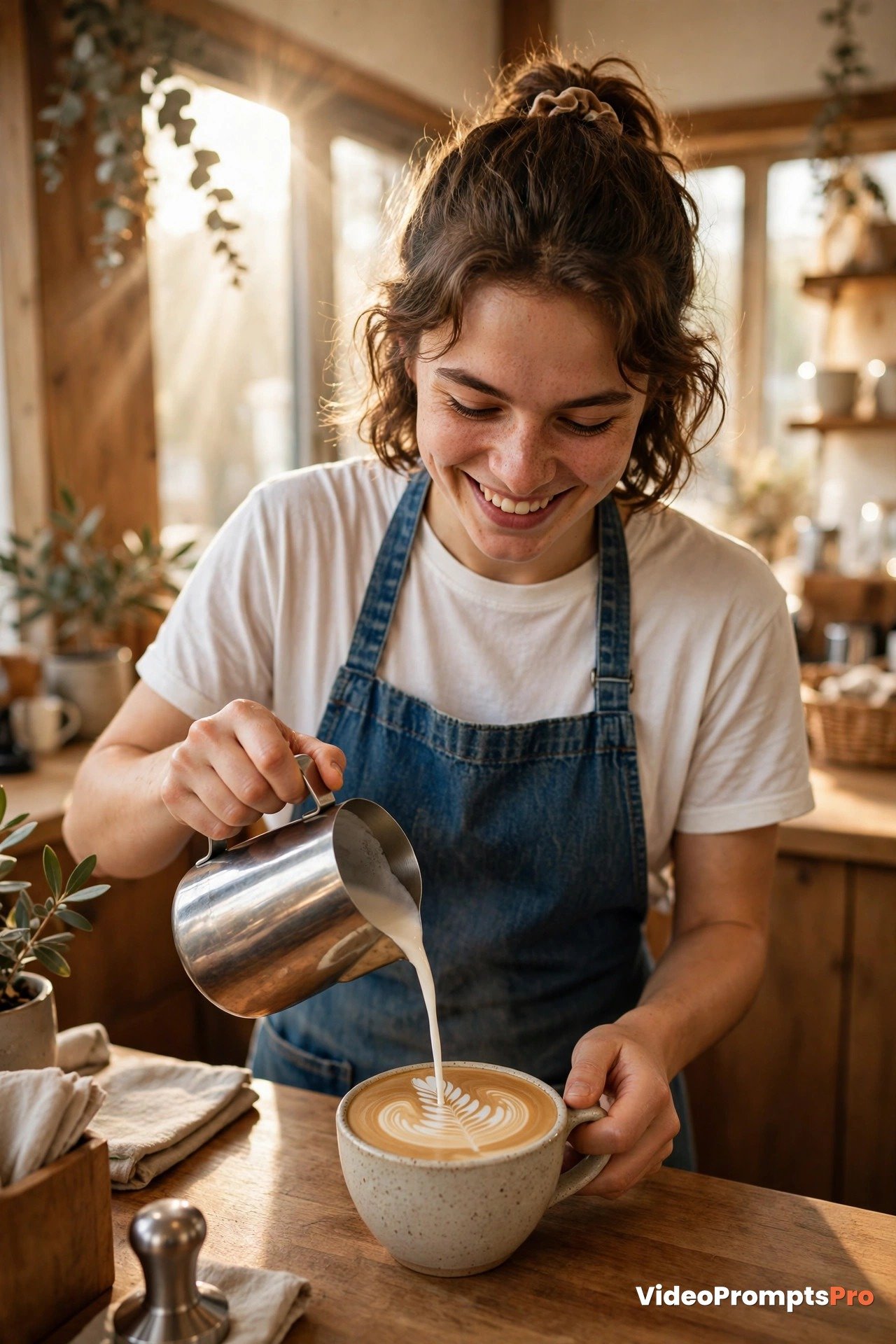
Notice what this prompt does. It opens with the payoff, the milk pouring and the art blooming, instead of someone walking into a cafe. It names the subject, gives her one action, sets the scene, moves the camera slowly and adds light, mood and sound. It ends with vertical framing and a loop hint, so the clip is built for the Shorts player from the first word.
Now imagine pasting this into Flow or Veo 3. If the pour looks too fast, you change one thing: “very slowly pours” instead of “pours”. If the light looks harsh, you change “morning light” to “soft golden morning light”. Small edits like these steer the model without a full rewrite.
This is also why the generator is faster than writing from zero every time. You fill a proven structure with your own idea, then refine the result. After two or three rounds, most creators build a feel for which details matter most, and their first drafts get better every time.
YouTube Shorts Strengths and Limits for Video Prompts
Shorts are built for speed, and that speed is your biggest strength. You can go from idea to published clip in under an hour, without filming anything yourself. That fast cycle makes Shorts ideal for testing ideas and growing a channel from zero.
The vertical format is another strength when you use it well. A 9:16 clip fills the whole phone screen, so a close, centered subject feels intimate and immediate in a way a wide shot never does on a phone. Tight framing beats wide shots here: a face, a pair of hands or a single object in close up holds attention better than a distant landscape.
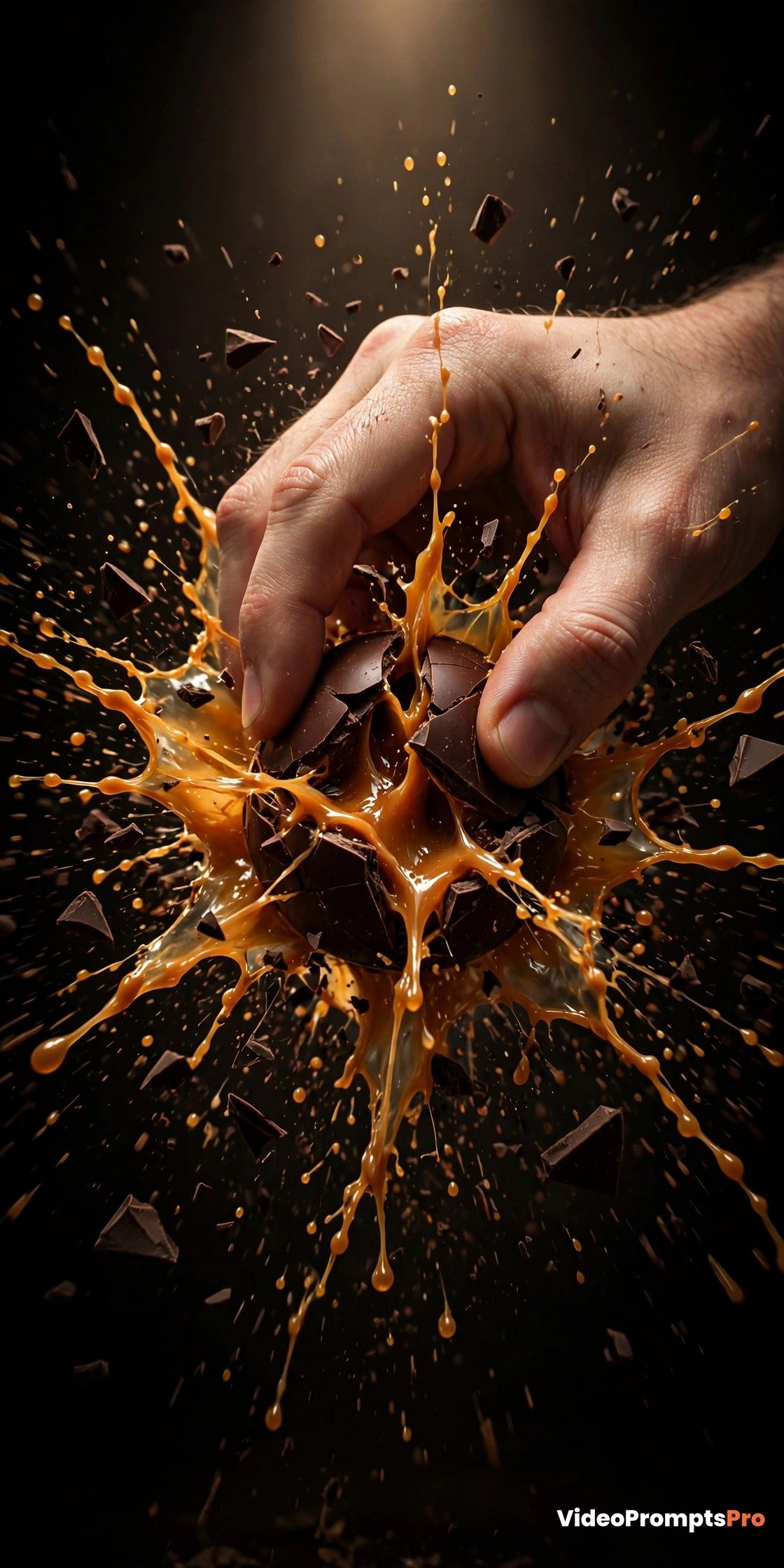
Still, Shorts prompting has real limits, and honest expectations save frustration. Generated clips are short, so complex stories must be split into separate shots and edited together. Fine details like hands, text on screen and fast action can look imperfect. Very long prompts do not always help, because extra words can dilute the main action instead of sharpening it.
Consistency is another limit to plan around. The same prompt may give slightly different results each time, and keeping the same character identical across many Shorts takes care and repeated tries. For a single clip, this is rarely a problem. For a series, keep your character description word for word the same in every prompt.
The practical answer is to play to the strengths. Use Shorts prompts for short, punchy, visual moments with a hook in the first two seconds, and let the generator keep each prompt tight and vertical. Save longer stories for multi clip edits, where each clip covers one moment and you join them together afterwards.
Common Mistakes and Fixes
Most weak Shorts clips come from the same few mistakes. The good news is that each one has a simple fix, and the generator helps you avoid most of them before you even generate.
Mistake 1: A slow opening. A prompt that starts with a calm establishing shot loses the viewer before the good part. Fix it by opening mid action and putting the payoff in the first words of the prompt.
Mistake 2: Horizontal thinking in a vertical player. A wide cinematic description crops badly on a phone, and key action can land under the interface. Fix it by writing vertical 9:16 framing into the prompt and keeping the subject centered with clear space at the top and bottom.
Mistake 3: Too many actions in one clip. A prompt that asks a character to pour, stir, wave and laugh in a few seconds will look rushed. Fix it by keeping one main action per clip and saving the rest for the next shot.
Mistake 4: A vague subject. “A person” gives the model nothing to hold onto. Fix it with two or three concrete details: age group, clothing, expression or role. Specificity creates consistency.
Mistake 5: No camera direction. Without camera wording, the model chooses for you, and the result can feel random. Fix it with one simple move: rapid push in, gentle orbit or slow pull back. One move is enough.
Mistake 6: Ignoring the loop. A clip that ends abruptly loses the free replays a loop would have earned. Fix it by adding a seamless loop ending to the prompt whenever the idea allows it, so the last frame flows back into the first.
Mistake 7: Changing everything after a miss. If a clip is close, do not rewrite the whole prompt. Fix one element, regenerate, and compare. This step by step method teaches you what each word actually does.
Pro Tips for Better YouTube Shorts Video Prompts
Start with the thumbnail frame. Before you write, picture the single frame a scroller would see first. If that frame is not striking on its own, the prompt needs a stronger hook, not more words.
Use strong verbs at the start. “Pours”, “cracks”, “blooms” and “spins” give the model clear motion to render from frame one. Weak verbs like “does” or “makes” leave motion unclear, and the clip often looks stiff as a result.
Describe light like a photographer. “Soft morning sunlight” and “warm golden light” are more useful than “nice lighting”. Light shapes mood more than almost any other single detail, so spend a few words on it.
Finally, test one variable at a time. Change the camera, or the light, or the action, but not all three together. Creators who test this way learn faster, waste fewer generations and reach good results with less frustration.
FAQ
What is an ai video prompts generator for youtube shorts?
It is a tool that turns a short idea into a complete Shorts prompt with a hook first, one clear action, vertical 9:16 framing and a loop friendly ending. You fill in a few fields, and it writes the prompt in the order video models understand best.
How long should a YouTube Shorts video prompt be?
Most strong Shorts prompts are between 80 and 150 words. Shorter prompts risk missing the subject or setting, while very long prompts can dilute the main action. Aim for one paragraph that covers hook, subject, action, camera, light and ending, then stop.
Why does my Short need vertical 9:16 framing?
Because YouTube Shorts are played full screen on a phone, in portrait. A 9:16 prompt fills the screen and keeps the subject centered, while a wide prompt crops badly and can push key action under the interface.
What is a hook first prompt?
A hook first prompt opens with its most eye catching moment, not with setup. Instead of starting with someone walking into a cafe, it starts with the milk already pouring and the latte art already blooming. The viewer sees the payoff in the first two seconds, before they can swipe away.
Can the generator write prompts for other models too?
Yes. It supports Flow, Grok, Veo 3, Gemini, Sora and Kling, and you choose your model before generating. Pick the model that suits your scene: Flow and Veo 3 for realistic food and nature, Kling for smooth human motion, and Sora for a more cinematic look.
Do loop friendly endings really help?
Yes, when the idea allows it. A clip that ends where it began replays automatically, and replays signal to YouTube that viewers enjoyed the clip, which can help it reach more feeds. Not every idea loops well, so add the ending only when it fits naturally.
Is the generator free to try?
Yes. You can try the generator and write Shorts prompts without paying, and use the prompt examples in this guide to get started. For more information on the format itself, see Get started creating YouTube Shorts and Tips to create YouTube Shorts from YouTube Help.
Conclusion
A good YouTube Short does not need a big budget or a filming crew. It needs a strong hook in the first two seconds, one clear action, vertical 9:16 framing and a loop friendly ending, and the ai video prompts generator for youtube shorts builds all four into every prompt it writes.
Start with one moment, describe it in detail, and test one change at a time. Your first clips will teach you more than any guide can, because you will see exactly which words produce the results you want. Over time, your prompts will get tighter, your hooks will get sharper, and your Shorts will stop more thumbs in the feed.
Ready to make your first scroll stopping clip? Open the generator, type your idea, and paste the prompt into your video tool. Your next Short could be the one that finally takes off.
SEO Expert & Contant Writer